How to become a web designer in 10 steps
Every business needs a website that is easy to use, quick to load and clear about what the business does, and web designers are the people who make that happen. If you want to become one, the good news is that the path is well marked: learn the fundamentals, learn enough code to know what is possible, practise on real projects and show your process in a portfolio.
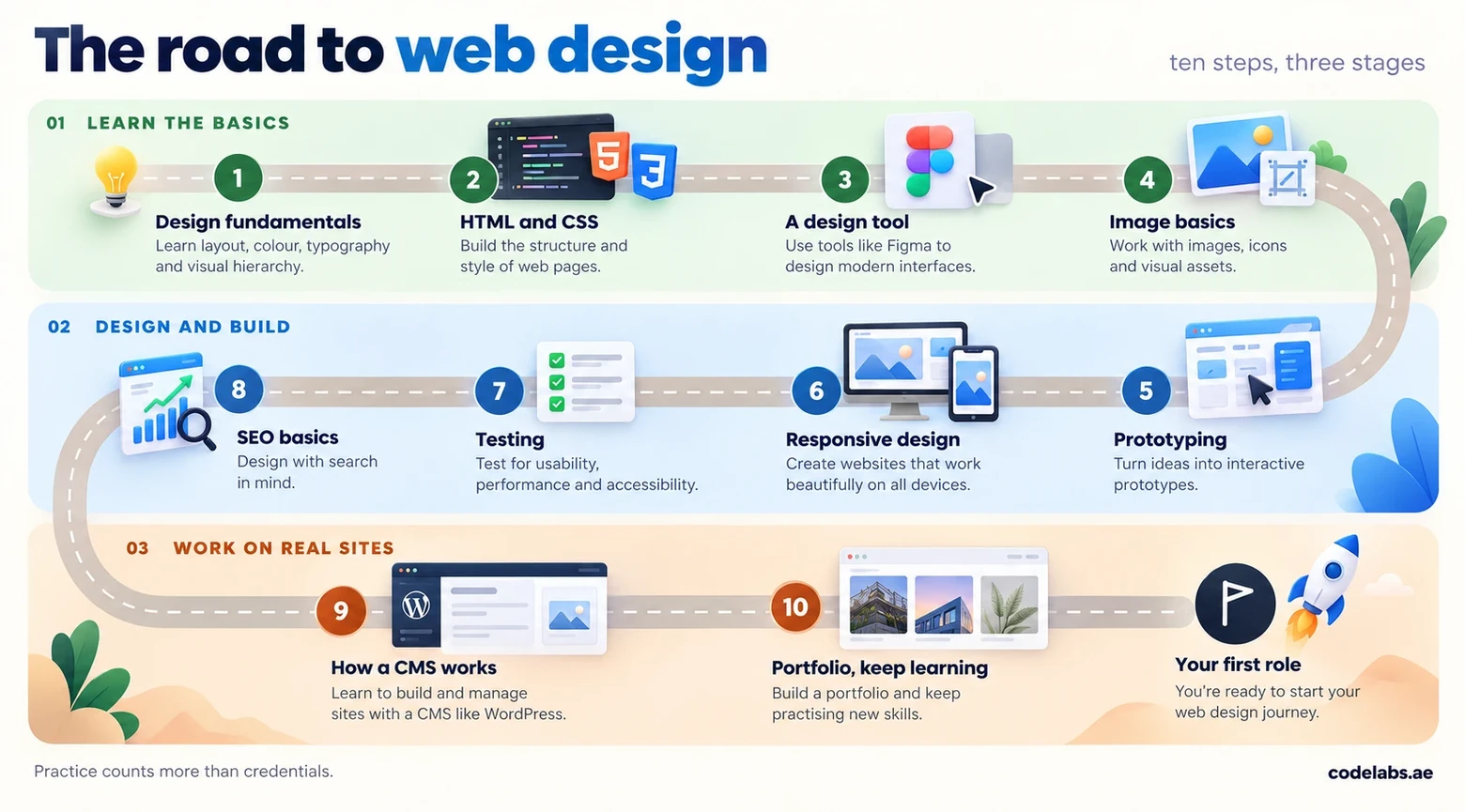
This guide sets out that path in ten steps, from design theory to your first portfolio. It is written for beginners and for people moving into web design from graphic design, marketing or development.
1. Learn the fundamentals of design
Start with the principles that make any page work: layout and grids, typography, colour, spacing and visual hierarchy, which is how a page tells the reader what to look at first. Add the basics of user experience (UX): who the visitor is, what they came to do, and how few steps it takes them to do it. A good-looking page that hides the main action has failed.
2. Learn HTML and CSS
You do not need to be a developer, but you should know how web pages are built. HTML sets the structure and content of a page; CSS controls how it looks. A little JavaScript helps you understand menus, forms and animations. Knowing the code lets you judge whether a design is practical to build, and makes you far easier for developers to work with.
3. Pick up a design tool
Most interface design today happens in collaborative tools such as Figma or Penpot, where designers lay out screens, build reusable components and share files with developers and clients. Learn to use frames, auto layout, components and styles well. Which tool matters less than working cleanly: named layers, consistent spacing and a small set of reusable parts.
4. Learn image basics
Web designers edit images constantly: cropping, resizing, retouching and exporting. Learn an image editor, and learn how to prepare images for the web. Large, uncompressed images are one of the commonest reasons pages load slowly, so export at the size you need and use modern formats such as WebP where you can.
5. Sketch, wireframe and prototype
Before you design a polished page, plan it. A wireframe is a plain layout that shows what goes where; a prototype is a clickable version people can try. Both let you test ideas in minutes instead of after the build. Our guide to wireframe tools compares the options, and our prototyping page shows how we use prototypes on client projects.
6. Design for every screen and every user
Most visitors will see your design on a phone, so design layouts that adapt to any screen size: this is responsive design. Design for accessibility too, so that people using screen readers, keyboards or zoom can use the site. The current standard is WCAG 2.2 from the W3C; one example of what it asks is a contrast ratio of at least 4.5:1 for normal text at Level AA. Accessible design is usually clearer design for everyone.
7. Test what you design
Test before you hand a design over. Click through it on real phones and laptops, check every form and link, and watch a few people try to complete a task without help. Their hesitations show you what to fix. Check speed as well: Google's Core Web Vitals measure loading, responsiveness and visual stability, and its guidance is that the main content should load within 2.5 seconds, the page should respond to input within 200 milliseconds, and the layout shift score should stay at 0.1 or less.
8. Know the basics of SEO
A website is also a marketing channel, so designers should know how search engines read a page. Use one clear heading per page with a logical structure below it, write meaningful page titles, give every image descriptive alt text, keep pages fast and make sure content is not hidden in images. These are design decisions as much as marketing ones. Our SEO services page explains how the rest of the work fits around them.
9. Understand how content gets managed
Most business websites run on a content management system (CMS), so the people who update the site are not the people who designed it. Learn how a CMS works and design with that in mind: templates that still look right with a long headline, a missing image or an extra paragraph. See our CMS integration page for how this works on real sites.
10. Build a portfolio and keep learning
When you apply for a design role or pitch a client, your portfolio is the first thing they look at. Show three to five projects in depth rather than many in passing, and for each one explain the problem, your process and the result, including sketches and the options you rejected. If you have no clients yet, redesign a real site you know well and explain your decisions.
Then keep learning. Follow designers whose work you admire, join design communities, read design write-ups from companies you respect and ask for feedback on your own work. Design habits change, and the designers who keep looking keep improving.
Where to go from here
Web design rewards practice more than credentials. Learn the fundamentals, build small projects, test them with real people and write up what you learned. If you would rather have an experienced team design your site, see our UI/UX design and web development services, or contact us. If you are a designer looking for work, our careers page lists our open roles.